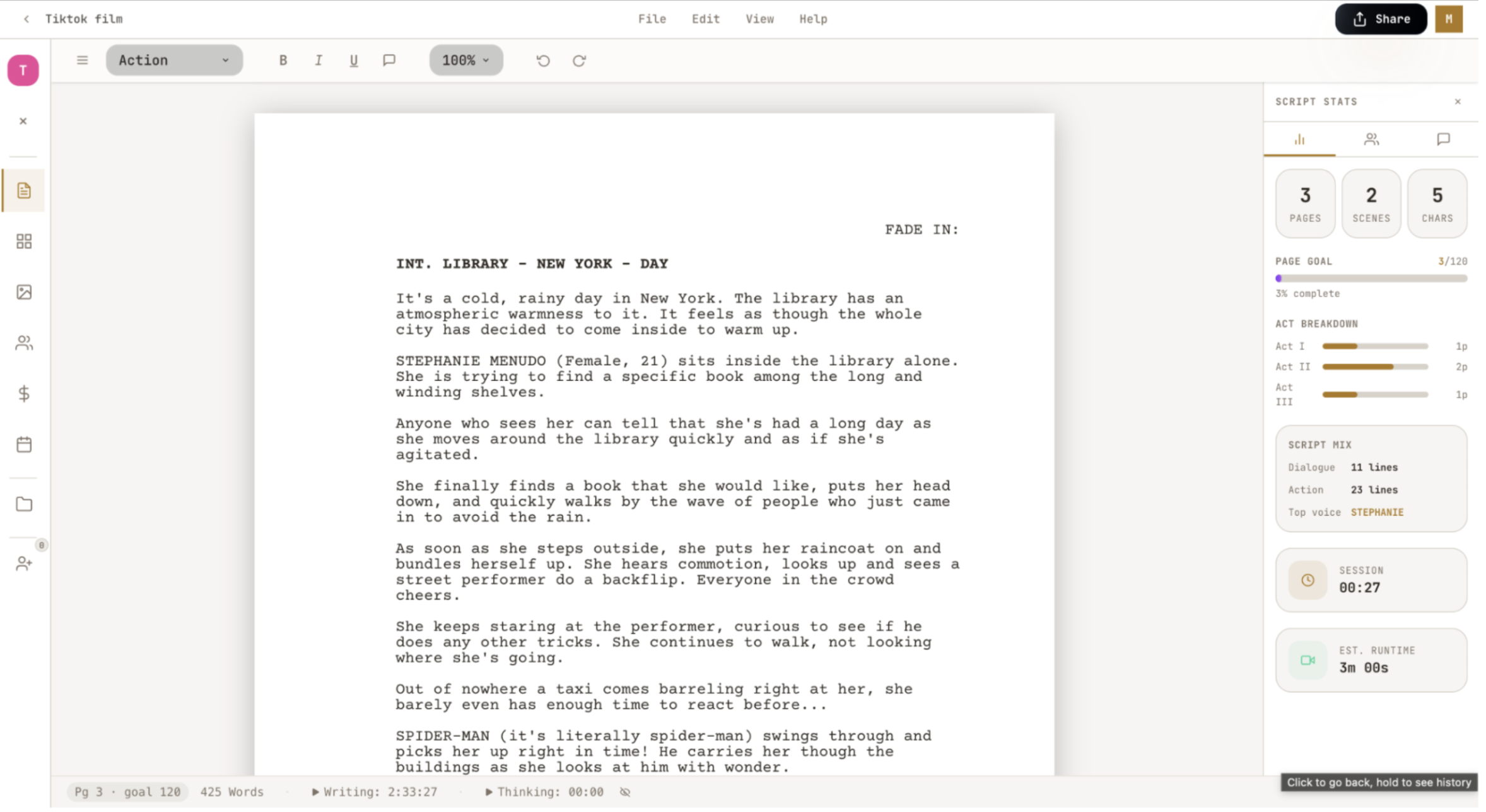
Screenwriting is difficult, it’s hard to learn, hard to use software, and expensive. That’s why I decided to make an easy-to-use beginner friendly screenwriting software! Inside Draftroom, a user can sign up, create a project, and write a screenplay in industry-standard format. If you don’t know how to write scripts, have no fear, head over to the help center. Inside the help center, there are tutorials for mastering format, structure, and craft. For PRO users, it even comes with practice and quizzes at the end of each module. The site auto-formats any piece of writing—scene headings, parentheticals, dialogue, characters—and you can use keyboard shortcuts for ease. Once a script is built, the user can generate a beat sheet (if you don’t know what a beat sheet is, head over to the help center inside the website to learn, under Module 3!) just from the script itself. Users can also create a storyboard, generate a list of the Cast and Crew with stats for each, and keep track of costs for the budget. My personal favorite feature of this app is the Schedule. For those who have a 100-page script and 50+ scenes, you understand how difficult it is to break everything down into what to film and when. DraftRoom automatically separates all of your scenes, groups them by location and time, and creates a shooting schedule. No more freaking out after you realized you needed one more shot at the park that’s half an hour away. If you have the Pro subscription, you can do all of this with the help of AI. It’s like having a writing assistant always with you. The AI can do basically anything you want it to within the script. After you write your own prompt or click suggested prompts—Find the dead weight, Find on-the-nose dialogue, Map the protagonist's objective, Scene-by-scene outline, Write 5 taglines, Opening title card—it automatically edits your script.
Claude Code is not inherently easy. It initially seems quite simple to use, as it seemed to be coding without “coding,” but there were many different failures and learning opportunities that presented themselves throughout this entire project. One of the most difficult things for Claude to understand was the script's format/page dimensions. It seemed simple to ask it “make sure the page dimension is 8.5x11,” but that could not be further from the truth. It would not listen. The only way that I made it work was telling Gemini about my issue and making it create a prompt to fix the pages. Another difficult task was making sure that my AI API key was stored in a safe environment while also having no idea what to do. As soon as I would post my API key into Claude Code, it would freak out and tell me to immediately change it because you shouldn’t share it with anyone. This turned into a valuable lesson about web safety with Claude, it’s never guaranteed. Even if you ask Claude to make everything safe, human error can compromise a site, especially if you don’t understand where to put keys or how to turn environmental variables to “secret.” The most difficult task was making my website look good, and I'm not sure I succeeded. I tried my best implementing third-party designs from 21st.dev, but I still found it almost impossible to make the site not look vibecoded. I ended up telling Claude Cowork that it was a "Professional UI/UX Design Analyzer (if that’s even a thing)” and told it to create a spec sheet of everything wrong with it and I fed it to Claude Code after. To be completely honest, it was underwhelming, but it made it look slightly more visually appealing. One thing that most people don’t realize about Claude Code is the “one more prompt” issue. After you have a solid framework, a user will have a list of things to fix/add. At some point this user will get tired and tell themselves, “I’ll only do one more prompt.” This is a grave error. It’s never just one more prompt. An hour since you said, “one more prompt,” the user is in a worse place than they started, adding useless features. This project has been a battle of knowing when exactly to stop due to Claude Code being so accessible. It’s easy just to tell Claude to add another crazy feature you want in your app, knowing when to be content with your project is perhaps the most difficult feature of Claude Code.
 Alma Dudas
  Ethan Heldman
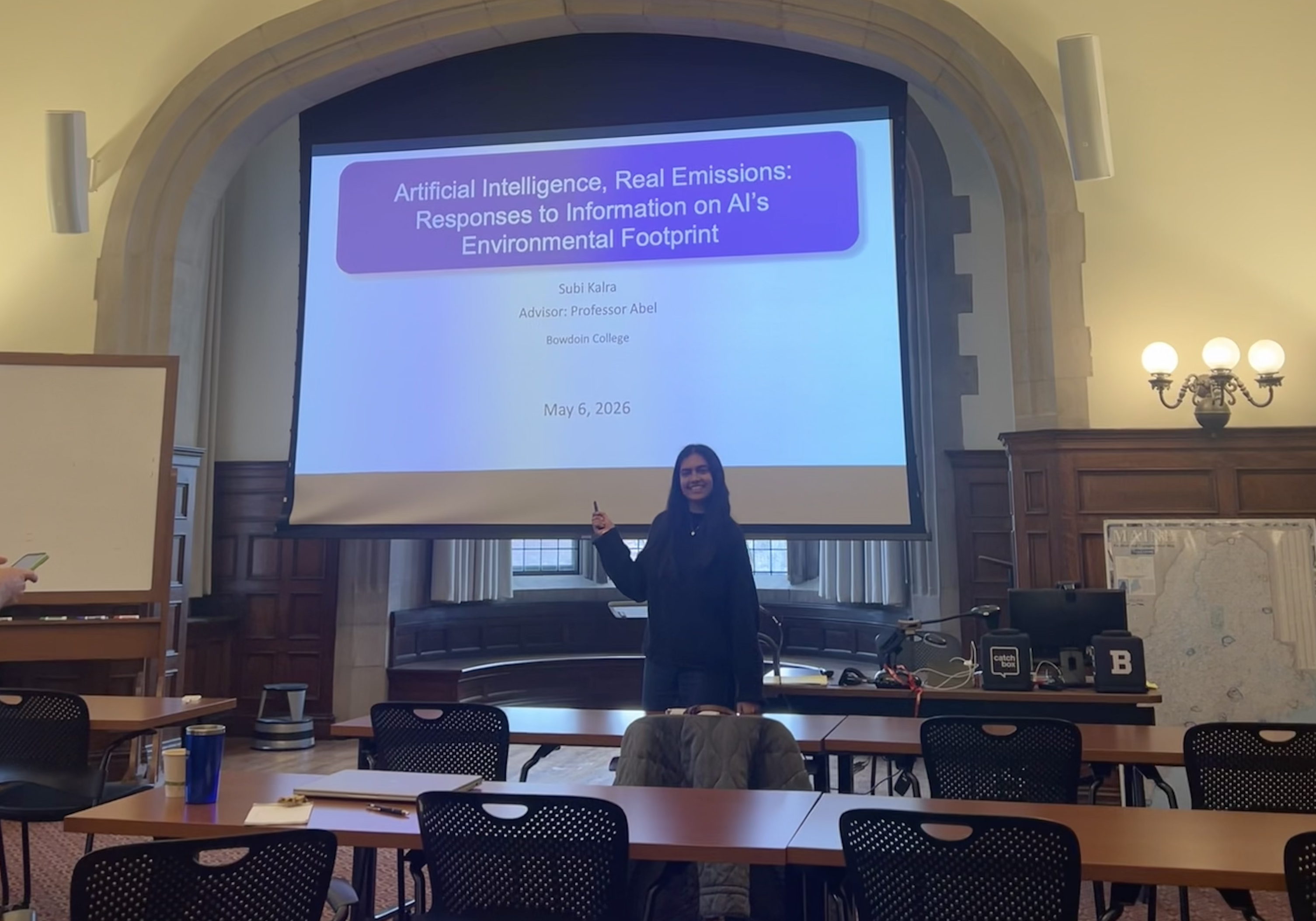 Subi Kalra
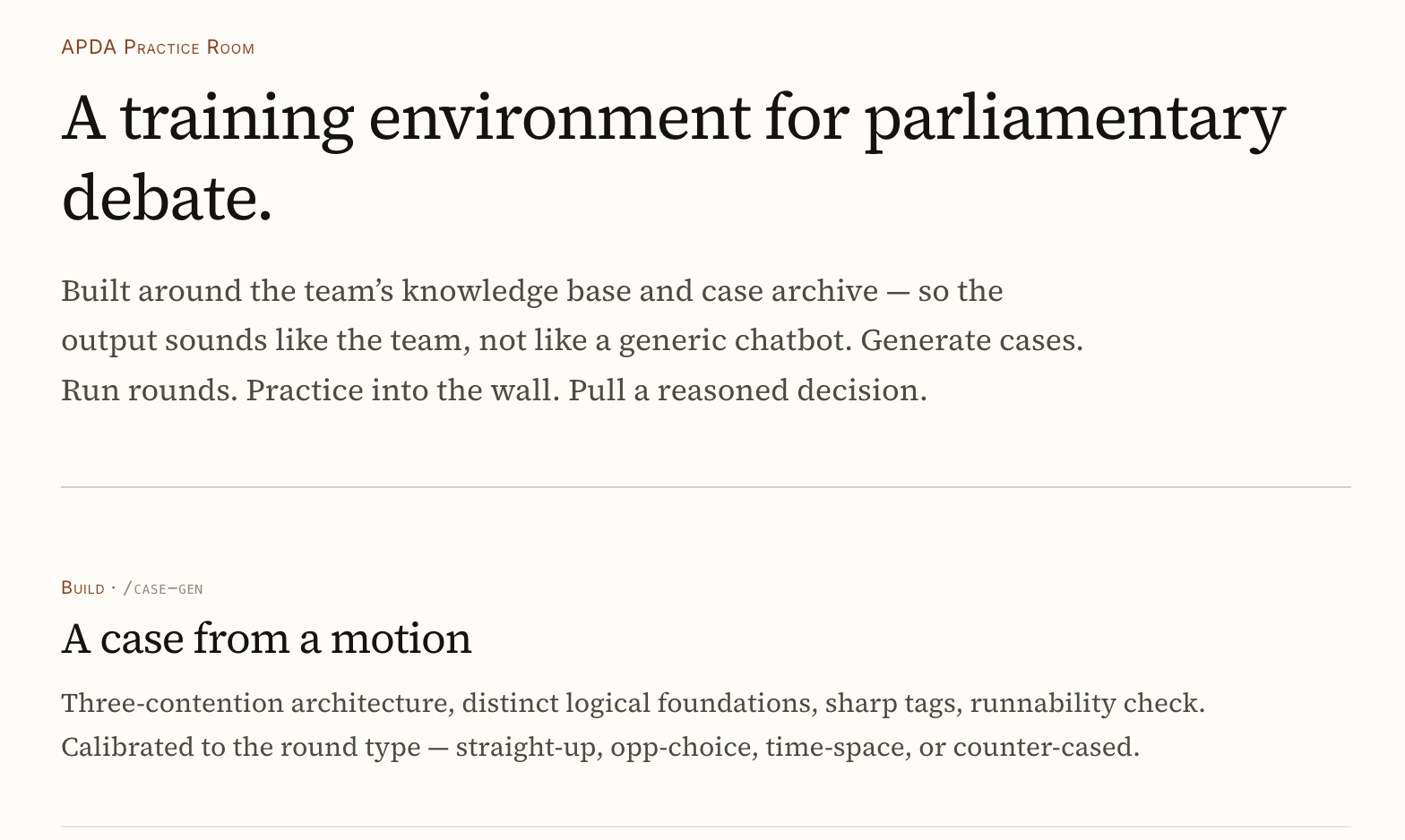 Maadhavan Prasanna
 Larsen Van Horn